

Mastering an Interactive Baby Registry: Quick Tips
Updated on: 2026-01-01
Ready to build a baby registry that actually fits your life? This guide walks you through a modern, flexible approach that helps you plan, share, and update your list with ease. You’ll learn how to collaborate with loved ones, compare pros and cons, and choose features that make gifting simple and stress-free. Plus, there’s a clear buyer’s checklist and a helpful Q&A at the end for quick answers.
- Interactive Baby Registry: What It Is and Why It Matters
- Did You Know?
- Comparison: Pros & Cons
- Buyer’s Checklist
- Final Thoughts & Advice
- Q&A
If you’ve ever felt that a static checklist doesn’t capture real life, you’re not alone. A thoughtful plan keeps your list up to date as your needs change. That’s where an interactive baby registry shines: it helps you collaborate with family and friends, manage updates in real time, and turn a simple wishlist into a streamlined plan for your growing family. Think of it like a shared, living document that keeps everyone on the same page.
Interactive Baby Registry: What It Is and Why It Matters
Traditional registries are “set it and forget it.” Helpful? Yes. Flexible? Not always. A dynamic registry takes it a step further. It lets you edit quantities, swap items, leave notes, and even allow group gifting without starting over. It can also help you prioritize needs over nice-to-haves, stay within a budget, and give gift-givers clarity. That means fewer duplicates, more practical support, and less back-and-forth answering the same questions.
Here’s how that plays out in real life. Picture this: you initially add a bassinet and a range of sizes for onesies. After a baby shower, you realize you’re stocked on newborn outfits but still need storage baskets and a better diaper backpack for outings. With a flexible registry, you can quickly reorder priorities, add notes, and mark “high priority” items—so loved ones who shop later know what will actually help.
You can also make space for non-traditional gifts that matter, like meal drop-offs, babysitting IOUs, or gift cards for diapers. Some parents add items to prepare for months 6–12, such as teething toys or a convertible high chair. This keeps gifts useful longer and spreads out baby costs in a smart way.
Did You Know?
- Your registry can go beyond products. Many parents now include services, experiences, and essentials like future-size diapers or a fund for classes.
- Notes remove guesswork. A quick line like “Prefer zipper sleepers over snaps” helps gift-givers choose confidently.
- Group gifting is a win for bigger items. Loved ones can chip in for a single, high-impact essential instead of guessing.
- Adding lifestyle essentials can be a lifesaver for outings. A reliable bag or a backup phone charger can make everyday errands easier.
- Updating your list after each shower or visit keeps it useful. A five-minute tidy-up prevents duplicates and out-of-season buys.
Comparison: Pros & Cons
-
Pros
- Real-time updates keep your list aligned with changing needs.
- Notes and priorities guide friends toward the most helpful gifts.
- Group contributions make larger items more attainable.
- Better organization reduces duplicates and returns.
- Easier sharing options keep everyone in the loop without repeated messages.
-
Cons
- Too many options can feel overwhelming without a plan.
- Frequent edits may confuse early shoppers if they don’t check back.
- Mixing multiple stores sometimes complicates returns.
- Privacy settings need a quick review to avoid oversharing.
Buyer’s Checklist
Whether you’re choosing a registry platform or curating your must-haves, use this checklist to keep things simple and practical.
- Easy editing and notes: Can you reorder items, add notes like “neutral colors,” and update quantities without breaking your links?
- Smart sharing: Look for a simple link and optional password. Bonus points for QR codes you can add to invites.
- Duplicate control: Auto-reserve items when someone buys them, and allow quantity tracking for essentials like swaddles.
- Group gifting: Helpful for big items that make daily life smoother.
- Return-friendly: If you mix stores, double-check return windows and gift receipt options.
- Categories and tags: Organize by “Newborn,” “Months 6–12,” “Bath & Health,” or “On-the-go,” so shoppers can filter fast.
- Mobile-friendly: You’ll edit on your phone often—make sure it’s easy.
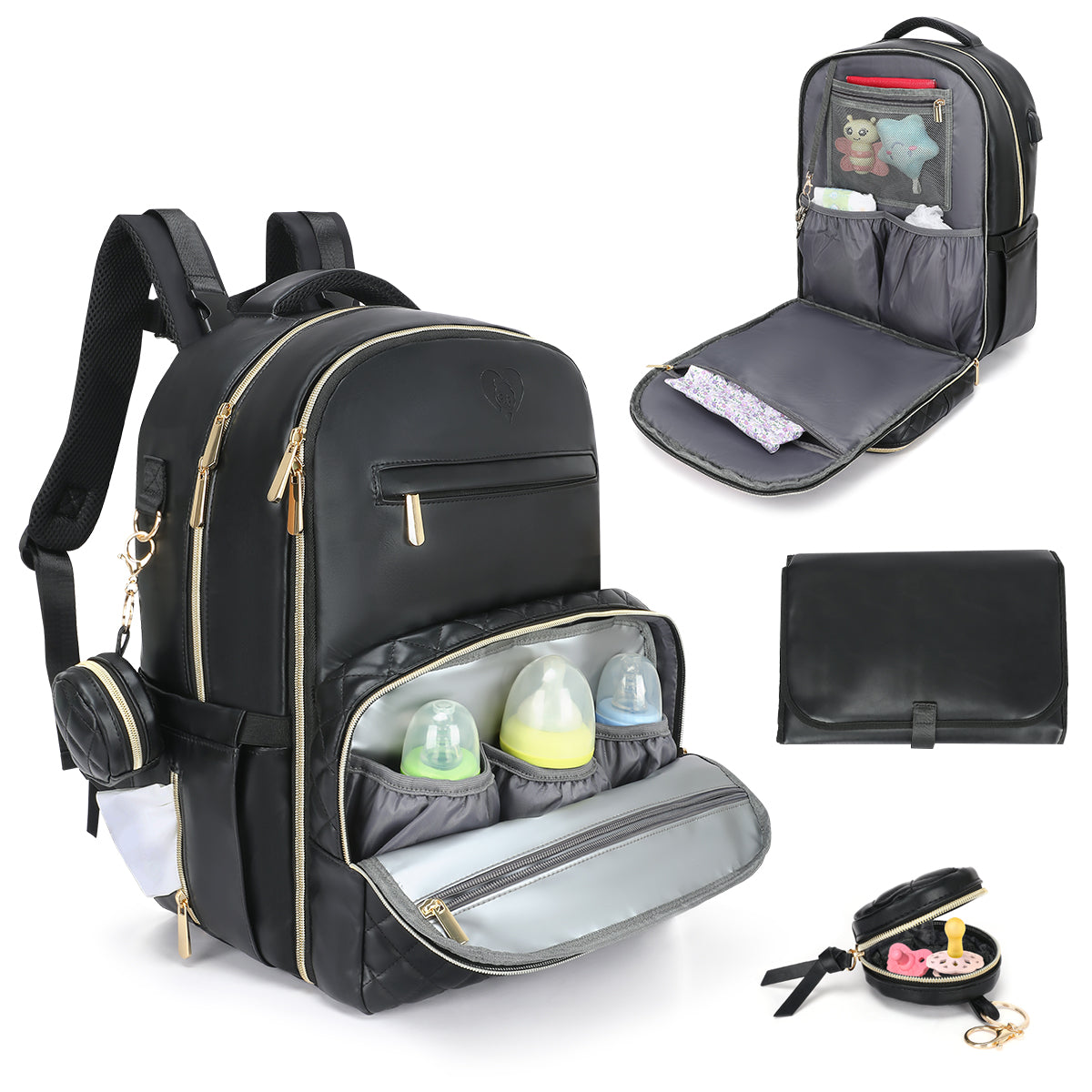
- On-the-go essentials: Consider a roomy, comfortable diaper backpack to keep outings hassle-free. Explore a sleek option like this diaper backpack with thoughtful compartments.
- All-in-one convenience: If you want more organization and comfort, check out a feature-packed smart diaper bag that helps keep gear in order on longer outings.
- Emergency power: For long days out, add a compact wireless solar power bank so your phone and baby monitor apps stay powered.
- Mix of price points: Include a range—from under-$20 staples to shared, bigger investments—so everyone can give comfortably.
- Future-ready items: Add feeding tools, safety essentials, and larger sizes to cover the first year.
- “Care for parents” category: Add coffee gift cards, meal services, or helpful accessories for the person doing the late-night feedings.
- Final pass before sharing: Remove duplicates, confirm sizes, and prioritize the items you’d appreciate most right now.
- One-stop browsing: Keep things simple for loved ones with a curated starting point like shop all, then narrow down to your must-haves.
Final Thoughts & Advice
Think of your registry as a living document, not a one-time checklist. Start with the essentials you’ll use every day, then layer in items for the next stages. Keep your notes short and friendly, and set a monthly reminder to tidy up quantities and priorities. It only takes a few minutes, and it saves everyone time and stress.
When you share, keep it simple. Send a single link, a warm note, and your top three priorities. That gives people direction without pressure. And after each shower or surprise doorstep drop-off, mark received items or update quantities so late shoppers still find useful options. If someone asks what you still need, point them to your top priorities and remind them to check notes for sizes or colors you prefer.
Finally, give yourself permission to adapt. Your needs may shift as you learn what works for your family. The right setup makes those changes easy—so you can stay focused on what matters most: caring for your little one and making everyday moments a little smoother.
Q&A
How do I share my registry without overwhelming people?
Lead with clarity. Share one link, add a friendly note with your top three priorities, and mention that the list updates in real time. If you’re posting in a group chat or invite, include a quick reminder to check item notes for sizes and colors. A simple, single touchpoint keeps things easy for everyone.
What about privacy and duplicates?
Use a private link or password if offered, and review what personal info appears by default. Turn on features that reserve items once someone buys them, and use quantity settings for staples like burp cloths. Notes like “We already have a stroller, looking for a compact travel bag” help avoid overlap.
Can I switch platforms mid-pregnancy?
Yes. Make a quick plan: export your list (or screenshot categories), rebuild essentials first, then add notes and priorities. Share your new link and keep the old list live for a week with a pinned note pointing to the new one. After that, close the old list to reduce confusion.


Ana is a mom of two, former daycare owner, and experienced school teacher. She specializes in early childhood care and development, offering practical advice on baby care, toddler behavior, and child growth. At JustBaby LUV, Ana combines her personal and professional expertise to support families and help them thrive in the early years.
The content in this blog post is intended for general information purposes only. It should not be considered as professional, medical, or legal advice. For specific guidance related to your situation, please consult a qualified professional. The store does not assume responsibility for any decisions made based on this information.